 silicone@silic0ne.com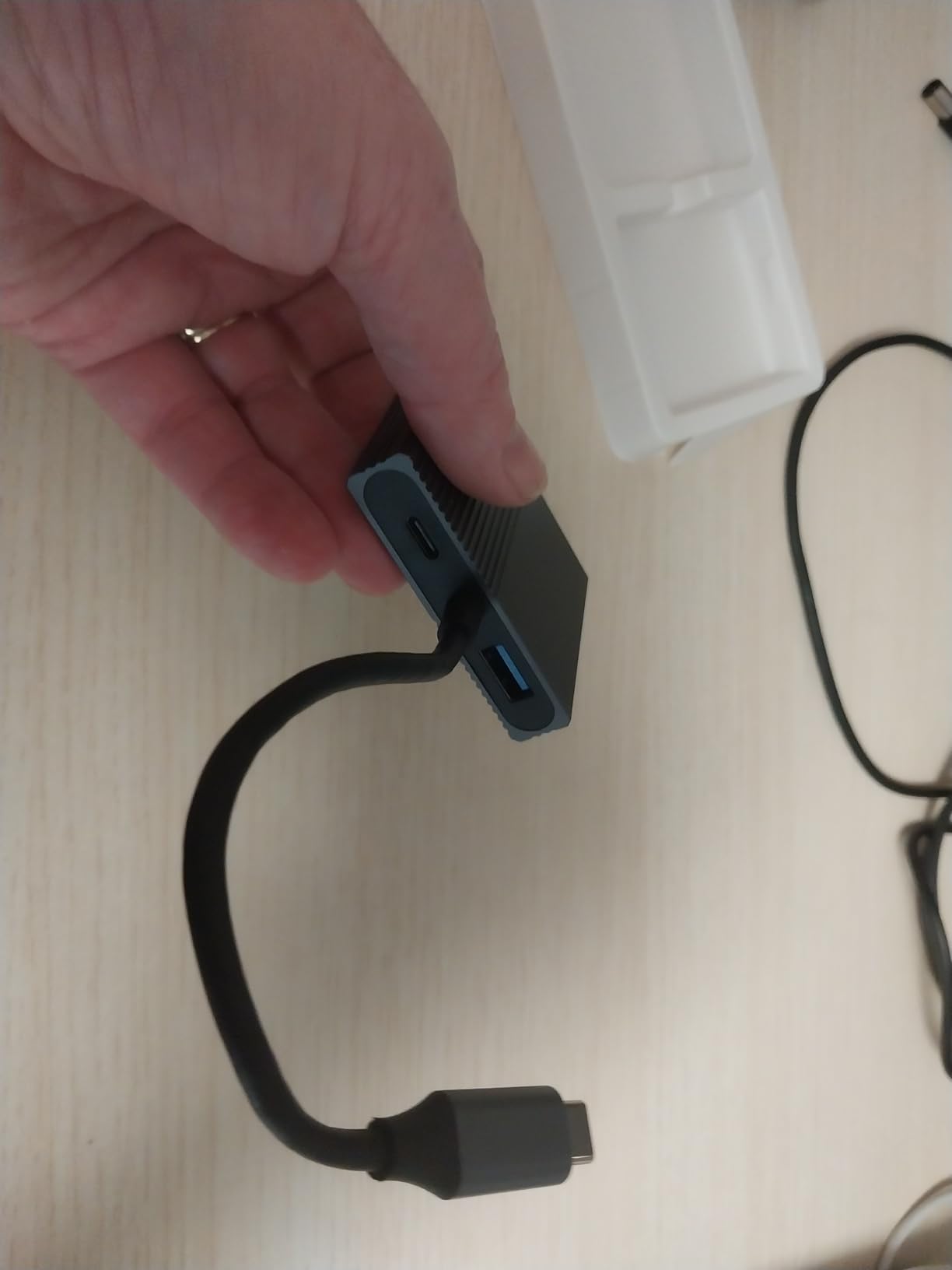
Introduction to Next-Gen Workspace Expansion
Modern professionals demand more screen real estate than ever before. The 4-IN-1 USB C to Dual DisplayPort Adapter solves this need by converting your laptop’s USB-C port into:
- Two DisplayPort outputs for dual monitors
- One USB 3.0 port (5Gbps) for peripherals
- One 100W Power Delivery charging port23
Unlike basic hubs, this adapter utilizes MST (Multi-Stream Transport) technology to enable true dual-monitor functionality at 4K@60Hz resolution36. Its aluminum alloy construction ensures durability while preventing overheating during prolonged use67.
Compatibility: What You Need to Know
Critical Requirement: Your laptop must support either:
- Thunderbolt 3/4 protocol
- DisplayPort Alternate Mode (DP Alt Mode)15
Operating System Differences:
- Windows: Full extended display modes (A-AA, A-BB, A-BC)
- MacOS: Limited to mirror mode (A-AA, A-BB)26
Always verify your device’s specifications before purchase, as not all USB-C ports support video output15.
Visual Performance That Impresses
Experience crystal-clear visuals with:
- 4K UHD @60Hz (3840×2160)
- 1440p @60Hz (2560×1440)
- 1080p @60Hz (1920×1080)36
Pro Tip: For optimal 4K performance:
- Use HDMI 2.0/DP 2.0 cables
- Ensure source device supports 4K output
- Update graphics drivers35
The adapter’s digital signal processing eliminates flickering and maintains color accuracy across both displays6.
Designed for the Modern Professional
Speed Meets Functionality
- Data Transfer: USB 3.0 port delivers 5Gbps (10× faster than USB 2.0)
- Charging: 100W PD port powers most laptops while in use23
Ergonomic Engineering
- Dimensions: 2.3″ wide, 1.83oz weight
- Military-grade aluminum housing
- Gold-plated connectors for corrosion resistance67
Real-World Applications
- Financial Analysts: Spreadsheets on primary screen, research on secondary
- Video Editors: Timeline on one display, preview window on another
- Developers: Code on main monitor, documentation/reference on second23
Technical Specifications Deep Dive
| Feature | Specification |
|---|---|
| Video Output | Dual DisplayPort 1.4 |
| Resolution | 4K@60Hz (max) |
| Data Port | USB 3.0 (5Gbps) |
| Charging | USB-C PD 3.0 (100W) |
| Dimensions | 58.4×24.3×11.2mm |
| Weight | 52g |
| Cable Length | 15cm (integrated)36 |
Why This Stands Out from Competitors
- True Dual Display Support: Unlike HDMI splitters that duplicate content
- Power Delivery: Charges devices while in full operation
- Plug-and-Play: No drivers required for Windows/Mac23
Troubleshooting Guide
Issue: No signal detected
Solution:
- Check laptop’s Thunderbolt/DP Alt Mode support
- Try different DisplayPort cables
- Restart laptop with adapter connected5
Issue: Limited to 30Hz refresh rate
Solution:
- Upgrade to certified DP 1.4 cables
- Reduce resolution to 1440p35
Customer Success Stories
“As a graphic designer, the adapter lets me work with Photoshop tools on one screen and reference images on another. The 4K clarity is indistinguishable from my MacBook’s retina display.” – Verified Walmart purchaser6